Finding solutions to computer problems doesn’t have to be complicated. Our platform offers simple, step-by-step guidance for a wide range of common issues—from slow performance and software errors to connectivity problems and hardware malfunctions. Every guide is designed to be easy to follow, even for users without technical experience.
Our Commitment to You
We combine real-world expertise with a user-friendly approach, providing practical, reliable solutions that make fixing computer problems simple and stress-free.
Trusted Knowledge Base
Our solutions are built on real-world troubleshooting experience, delivering accurate, secure, and proven fixes for common computer problems.
User-First Approach
We prioritize simplicity over complexity, offering clear, step-by-step guidance that helps users solve issues confidently—without confusing technical terms.
4
Years Of Experience this Business
Success
0%
Our Skill
0%
Team Work
0%
Common Computer Problems and Their Complete Solutions
Discover common computer problems like slow performance, freezing, or no internet, with easy, step-by-step solutions to quickly fix them and keep your PC running smoothly.
Is Your Computer Running Slow?
A slow computer is often caused by startup programs, low disk space, outdated software, or malware. Restart, disable app, clean storage, update software, scan for viruses.
If a computer won’t turn on, the issue may be power cables, battery failure, or hardware faults. Check connections, try another adapter, reset power, and seek professional repair if needed.
Computer freezing is usually caused by overheating, high CPU or memory use, or software conflicts. Close frozen apps, improve airflow, clean dust, update driver, hardware if needed.
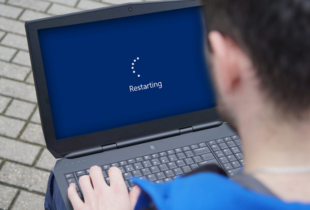
Unexpected computer restarts are often caused by overheating, driver errors, or power issues. Clean vents, update drivers, disable auto-restart, scan for malware, and check battery or power health.
Internet issues are often caused by router problems, incorrect settings, or outdated drivers. Restart modem and computer, check cables, run network troubleshooter, update drivers, and reset network settings if needed.
Program not responding can be caused by corrupted files, compatibility issues, or low system resources. Simply close the program, restart, update or reinstall it, and carefully check system requirements.
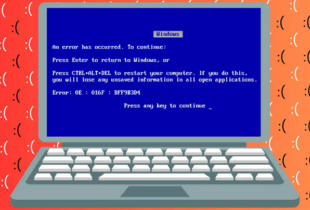
Blue screen errors can be caused by driver conflicts, hardware faults, or corrupted system files. Note the code, restart, update drivers, run SFC, and check hardware.
This issue occurs when the computer fails to detect connected USB devices. It is commonly caused by corrupted or outdated USB drivers, damaged USB ports, power supply issues, or incorrect system settings.
No sound can be caused by muted settings, wrong output device, or driver issues. Check volume, select correct device, restart audio services, update drivers, and test with headphones.
Computer overheating is caused by dust, heavy tasks, or cooling issues. Turn off, clean vents, ensure airflow, reduce background apps, and replace thermal paste or faulty fans if needed.
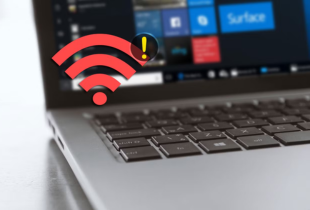
Wi-Fi may not detect networks due to disabled adapter, outdated drivers, or hardware issues. Enable WiFi, restart adapter, update driver, reset settings, and check hardware if needed.
Black screen issues may be caused by display driver problems, loose cable, or monitor failure. Check connection, restart, use external display, update driver, or restore the system if needed.
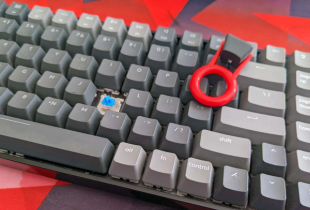
Keyboard or mouse may stop working due to loose connections, driver issues, or low battery. Reconnect, replace batteries, update drivers, and test with another device if needed.
Slow or full disk issues can be caused by large files, unused apps, or temp files. Delete unnecessary files, clear cache, uninstall apps, move data, or upgrade storage.
System issues can occur due to corrupted files or failed updates. Restart, boot in Safe Mode, use repair tools, uninstall updates, or reset/reinstall the OS if needed.
Explore our comprehensive library of step-by-step fixes for performance, software, hardware, and network problems.
03
Apply & Improve
Follow easy instructions to resolve issues, optimize your system, and keep your computer running smoothly.
Get Started Quickly
Troubleshooting your computer has never been easier. Follow our simple, guided process to identify issues, apply fixes, and keep your system running smoothly.